 Keepable
Fi kún un láti fóònù tàbí kọ̀ǹpútà rẹ
Fi fọ́tò, ìwé tí a sikánì tàbí PDF kún un láti fóònù rẹ. Ó wà lẹ́gbẹ̀ẹ́ ìwé tí àjọ fi ránṣẹ́ nípasẹ̀ Keepable, ó sì wà lórí gbogbo ẹ̀rọ rẹ.
Pa ìwé ẹ̀rí, àdéhùn àti àkọsílẹ̀ rẹ mọ́ ní ibi kan. Fi fáìlì kún un láti fóònù tàbí kọ̀ǹpútà, kí o sì ṣètò wọn sínú fódà lẹ́gbẹ̀ẹ́ lẹ́tà tí àjọ fi ránṣẹ́ nípasẹ̀ Keepable.
Fi fọ́tò, ìwé tí a sikánì tàbí PDF kún un láti fóònù rẹ. Ó wà lẹ́gbẹ̀ẹ́ ìwé tí àjọ fi ránṣẹ́ nípasẹ̀ Keepable, ó sì wà lórí gbogbo ẹ̀rọ rẹ.
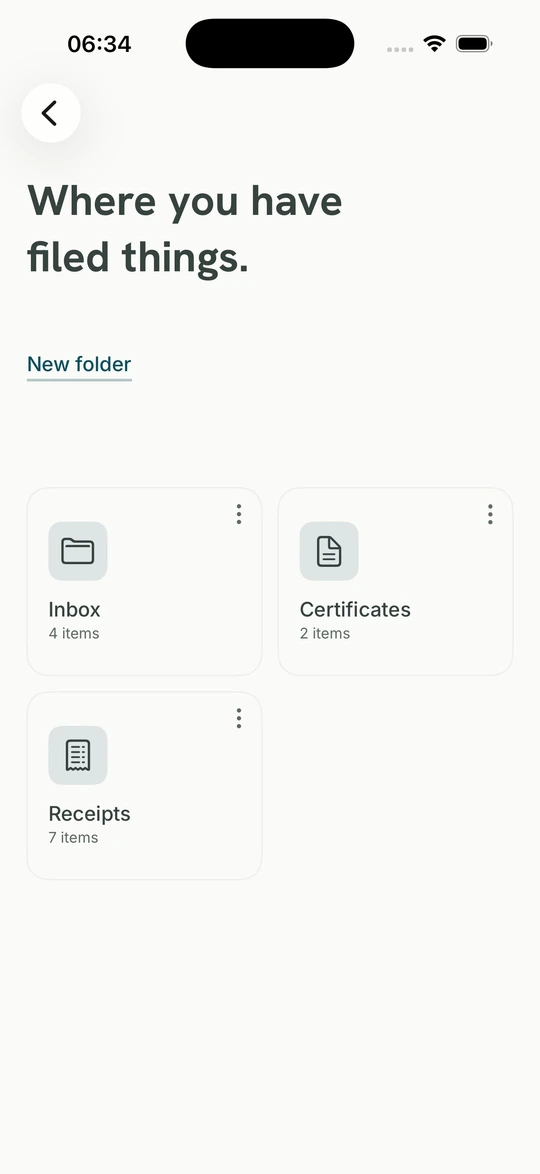
Kó ohun tó jọ ara wọn papọ̀, fún fódà ní orúkọ àti àmì. Lẹ́tà òṣìṣẹ́ àti fáìlì tí o fi kún un fúnra rẹ wà lẹ́gbẹ̀ẹ́ ara wọn, bí o ṣe ń ronú nípa ìwé rẹ.
Ìwé owó òṣù ti oṣù mẹ́fà, ìwé ìṣírò ti ọdún mẹ́ta, ìwé ẹ̀rí tí ilé-ẹ̀kọ́ fẹ́. Fi wọn sínú fódà kan kí wọ́n ṣetán nígbà tí o fẹ́ yẹ̀ wọ́n wò tàbí fi ránṣẹ́.
PDF, fọ́tò tàbí ìwé tí a sikánì tó 20 MB, láti fóònù tàbí kọ̀ǹpútà.
GPS nínú fọ́tò àti àlàyé onkọ̀wé àti sọ́fitiwia nínú PDF, ṣáájú ìpamọ́.
Gba gbogbo wọn sílẹ̀ nígbà tí o fẹ́, tàbí pa àkọọ́lẹ̀ rẹ kí o mú gbogbo rẹ lọ.
PDF, fọ́tò àti ìwé tí a sikánì tó 20 MB kọ̀ọ̀kan. Fi kún un láti fóònù tàbí kọ̀ǹpútà, ṣètò wọn lẹ́gbẹ̀ẹ́ ohun tó ti wà nínú Keepable rẹ.
Fọ́tò ilé sábà ní ibi tí a ti yà á tó sún mọ́ mítà díẹ̀, èyí lè fi àdírẹ́sì rẹ hàn. PDF láti sọ́fitiwia ìkọ̀wé sábà ní orúkọ onkọ̀wé ní kíkún, sọ́fitiwia, ọjọ́ àti nígbà mìíràn gbogbo ọ̀nà fódà kọ̀ǹpútà tó ṣe é. A yọ gbogbo èyí kí a tó pa fáìlì mọ́, yálà ó wá láti ohun èlò, wẹ́ẹ̀bù tàbí ohun èlò fóònù méjèèjì.
Ọ̀ràn mẹ́ta wà, a sì kọ ọ̀kọ̀ọ̀kan sí ìwé. A fi PDF tó ní ìbuwọ́lu díjítà sílẹ̀ nítorí títún un kọ máa ba ìbuwọ́lu jẹ́; a kò fi ẹ̀rí àdéhùn pààrọ̀ fún orúkọ sọ́fitiwia. A kò tún fáìlì tí ọ̀rọ̀ aṣínà dáàbò bo tàbí tó bàjẹ́ tí a kò lè kà kọ. A fi GIF sílẹ̀ pẹ̀lú nítorí Keepable kò ní metadata tí ó ń ṣe àtìlẹ́yìn láti yọ nínú rẹ̀.
Méjèèjì ní èdìdì, a lè jẹ́rìí pé wọn kò yí padà láti ìgbà tí wọ́n dé. Lẹ́tà ilé ìfowópamọ́ nìkan ní olùránṣẹ́. A lè fi hàn bóyá ojú ìwé ìrìnnà rẹ ti yí padà láti ìgbà tí o fi kún un; a kò lè fi ibi tí o ti rí i hàn. Ìwé náà ń fi irú rẹ̀ hàn kedere.
Fún fódà ní orúkọ àti àmì. Ó pa irú méjèèjì mọ́ papọ̀: ìwé owó òṣù tí agbanisíṣẹ́ fi ránṣẹ́ àti ojú ìwé ìrìnnà tí o yà fọ́tò. Fódà kọ̀ọ̀kan fi iye ohun inú rẹ̀ hàn; ìwé owó òṣù oṣù mẹ́fà fún ilé aṣojú jẹ́ fódà kan tí o ṣí, kì í ṣe ọ̀sán wíwá.
Bẹ́ẹ̀ ni, nígbàkigbà, láìbéèrè lọ́wọ́ ẹnikẹ́ni. Gba gbogbo wọn sílẹ̀ tàbí pa àkọọ́lẹ̀ kí o mú gbogbo rẹ lọ.
Ohun tí o fi kún un fúnra rẹ jẹ́ tirẹ; kò dà bí lẹ́tà ilé ìfowópamọ́ rẹ. Keepable lè fi hàn bóyá ó yí padà láti ìgbà tí o fi kún un, ṣùgbọ́n kò lè fi ibi tí o ti rí i hàn nítorí a kò sí níbẹ̀. Ìwé náà ń fi ìyàtọ̀ yìí hàn fún ọ àti ẹnikẹ́ni tí o fi ránṣẹ́ sí.