You stop hunting for the letter you know you got
Mail sent to you through Keepable stays in one searchable list, with the organisation that sent it beside it. You can also add your own documents and organise both into folders.
 Keepable
When an organisation sends you an important message, document or request, it arrives in your Keepable. Before you open it, you can see who sent it, when it arrived and whether you need to respond.
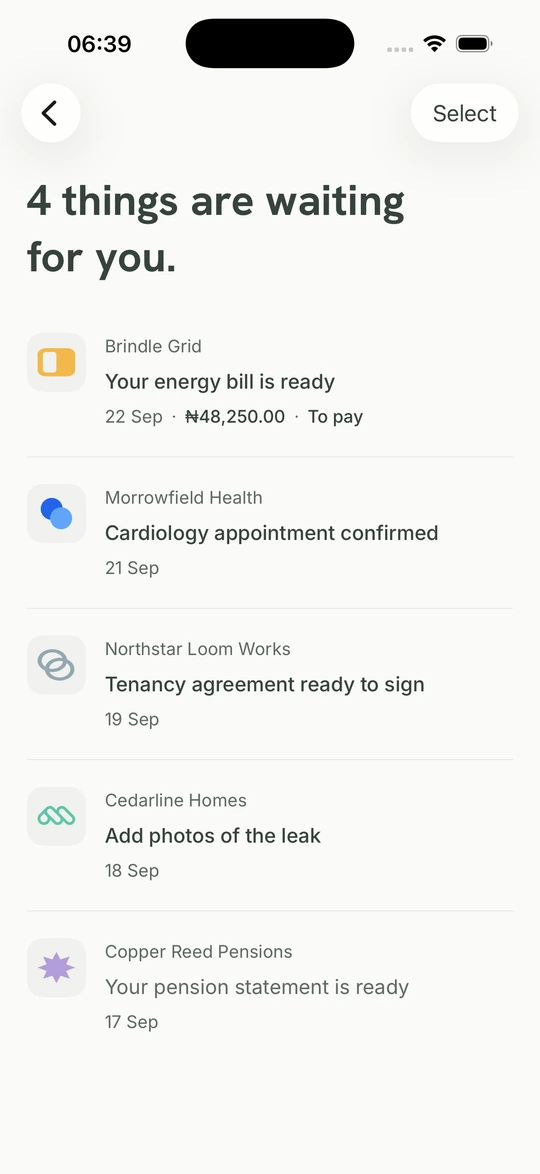
Mail sent to you through Keepable stays in one searchable list, with the organisation that sent it beside it. You can also add your own documents and organise both into folders.
Not a red dot on everything. One count, of the things that actually need an answer from you, whether that is a signature, a form, a payment or a decision. When there is nothing, it says that too, rather than leaving you to check.
Your items are stored with your Keepable rather than only on the phone you are holding. Sign in to the same account on another registered device to find them again.
An organisation whose registration and authorised representatives Keepable has checked.
One count, across every kind of letter, worked out on our side rather than guessed on yours.
Sign in to the same account on a registered device to reach items held in your Keepable.
It provides its CAC registration details and identifies the people authorised to act for it. Keepable checks the registration and the authority required for the organisation's account before it can send. This confirms identity and authority, not an endorsement of the organisation or its services.
Because a letter that wants something says so in the letter. Signing, answering a form, deciding on a permission, acknowledging a registered letter: each one is a kind of mail with an act attached, so the count is worked out from what is actually outstanding rather than from whether you have tapped it. The count goes down when you have done the thing, not when you have looked at it.
Plain letters, invoices, payslips, statements, receipts, bookings, registered letters that need acknowledging, and notices telling you how your information is being used. Each one is laid out for what it is, so a statement does not arrive drawn like a bill.
An item in your Keepable does not depend on an expiring message link or live only on one phone. It remains available while your account is open, subject to Keepable's retention terms and any legal requirement that applies to the record.
Download your documents and the account data available in the app. You can also exercise access, correction, deletion and portability rights where the NDPA provides them. The Privacy Notice explains the process and what Keepable may need to retain.
Yes, when you have a home saved in the location selected by the sender at the time they send. Organisations use NIPOST digital postcodes to address a building, postal area, district or LGA. Your saved home is self-declared, not proof of occupancy. Saving a home later does not bring earlier notices into your inbox.
Opening and using a personal Keepable is currently free. The organisation pays for the delivery. Keepable does not use the contents of your letters to select advertising.
This inbox receives correspondence from organisations registered to send through Keepable. It does not import Gmail, Yahoo or other email. If an organisation has not connected to Keepable, its letters will not appear here yet.
Opening and using a personal Keepable is currently free. Organisations pay to send through Keepable.